Internal Recharges
Ability to create invoices that allow recharges using UCD chart strings for payment.
Jason Sylvestre
Jan 23, 2026
Internal Recharges
Access
Access to this feature is Team based. If you don't have access to this and would like to, please log into payments, select your team, choose Support on the right menu, then submit a help ticket with the Contact Us link.
Team's Access
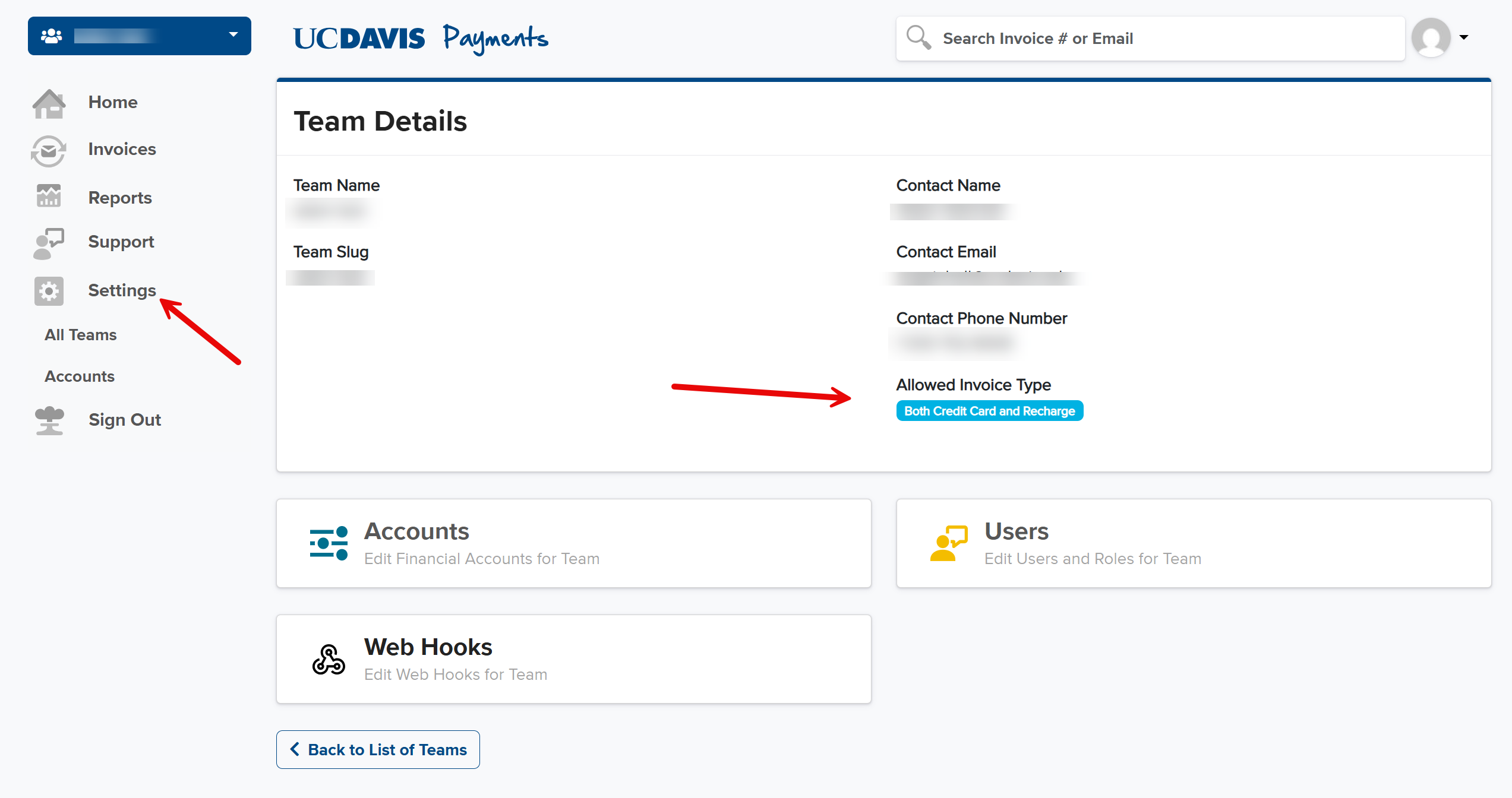
The team's access can be viewed from the settings menu. A badge shows the access available.
Basic Rules
- You can't approve on both the Payment Approval and Financial Approval pages. If this is unavoidable, the Financial Approval step will be completed with the auto-approve step currently set for 7 days.
- Other than the above, anyone with a CAS login and the link to the payment page may do the payment approval step. This can involve entering or editing chart strings, notes, and approving.
- Recharges do not have tax or coupons. If you entered these for a credit card and switch to a recharge, they will be cleared out.
- Any chart string entered must be valid.
- The natural account portion of the chart string may be automatically replaced with either 775000 or 770006.
- One or more credit chart strings must be entered. They are not defaulted and the total must match the invoice total.
- If debit chart strings are entered, they must be valid and must match the total of the invoice.
Payment Step
- The payment approval step does not have a reject option.
- The payment page allows valid debit chart strings to be entered and edited. Existing debit chart strings may be deleted if there are more than one listed.
- Each chart string may have optional notes.
- Each chart string must have a valid $ amount.
- All amounts must add up to 100% of the invoice total.
- Invoices may not have coupons applied to them.
Financial Approval Step
- The Financial Approval step only allows financial approvers determined by Aggie Enterprise's settings for the chart strings to act.
- Only valid chart strings may be entered and approved.
- Financial Approvers may reject the entire invoice.
- Financial Approvers may approve the chart strings they have access to.
- Financial Approvers may change a chart string they have access to for a different chart string they also have access to.
- Financial Approvers may not edit the amount or notes.
- The Financial Approval page may show various status information such as the status or access messages.
- The Financial Approval page will show who approved each chart string when approvals are done.
- There is a system-configurable number of days where any pending Financial Approvals will be auto-approved by the system. Currently this is 7 days. These will be logged and visible.
- When all chart strings are approved, the invoice will move along for the actual money movement.
Workflow
- Create recharge invoice.
- Save or Send invoice.
- Edit saved invoice.
- Send unsent invoice.
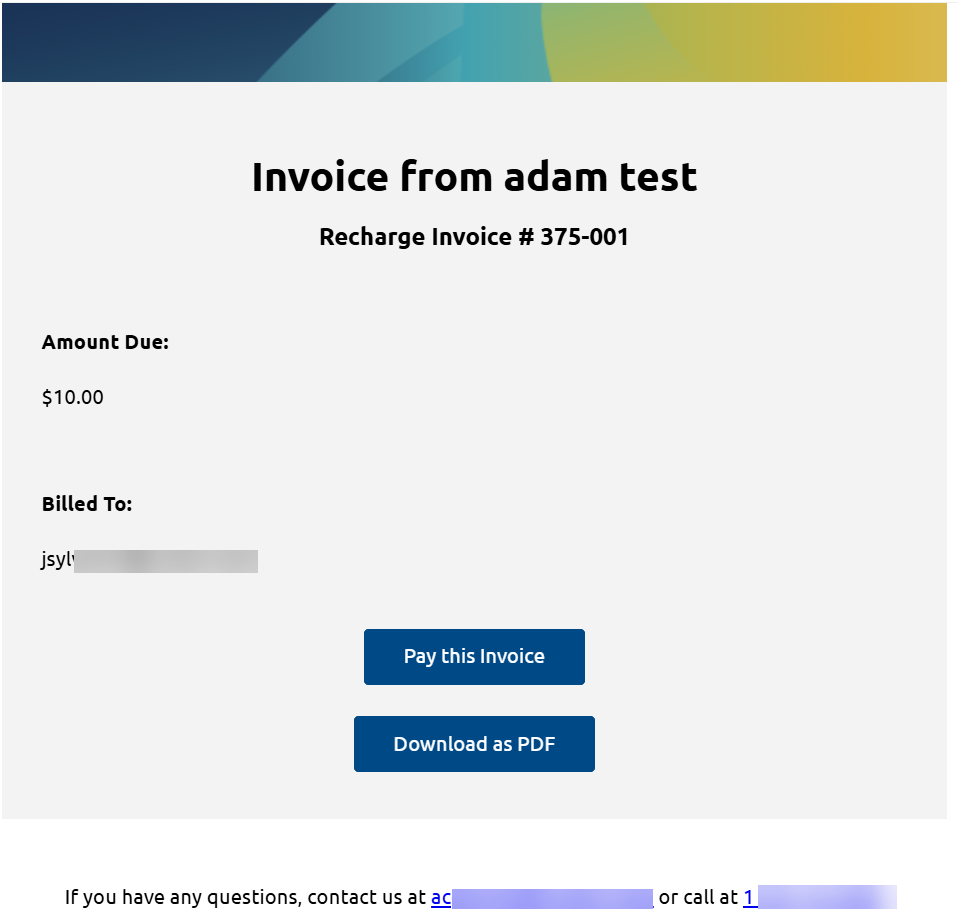
- Customer gets email, opens CAS-protected Payment page.
- Customer approves, or edits and approves invoice.
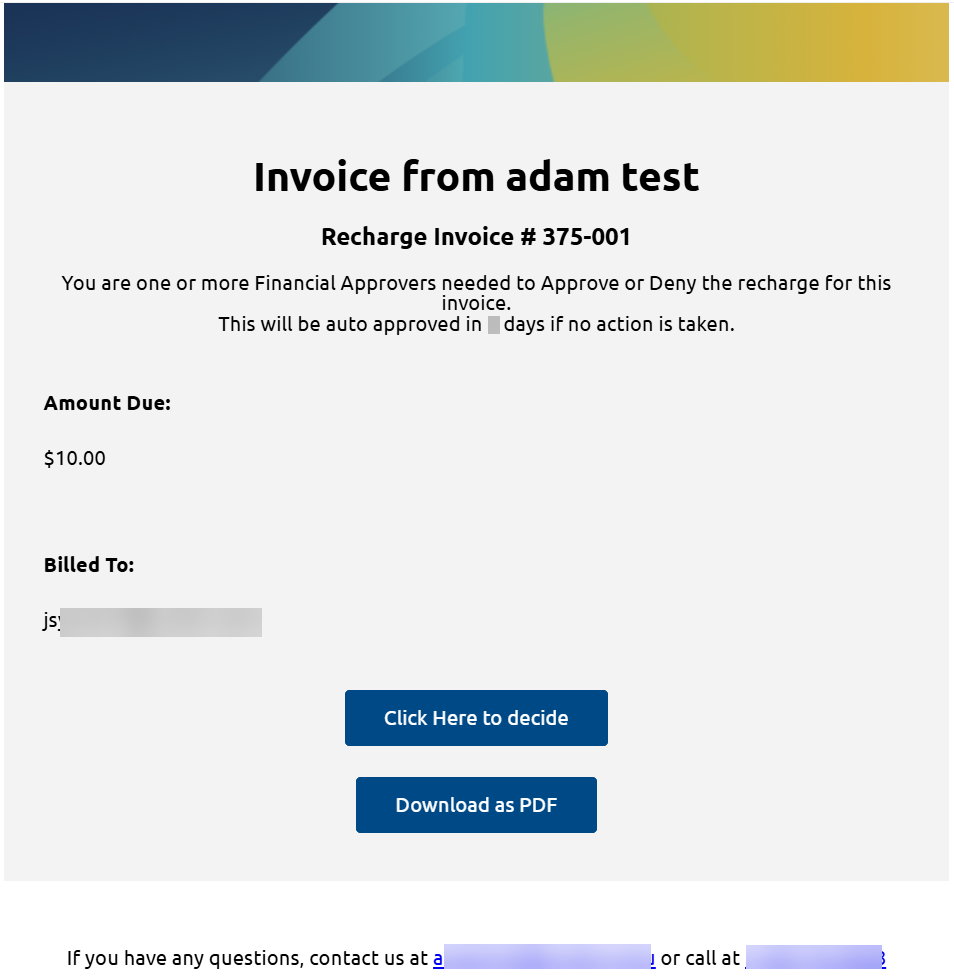
- Financial Approvers (determined by Aggie Enterprise based on the debit chart strings used) get emails.
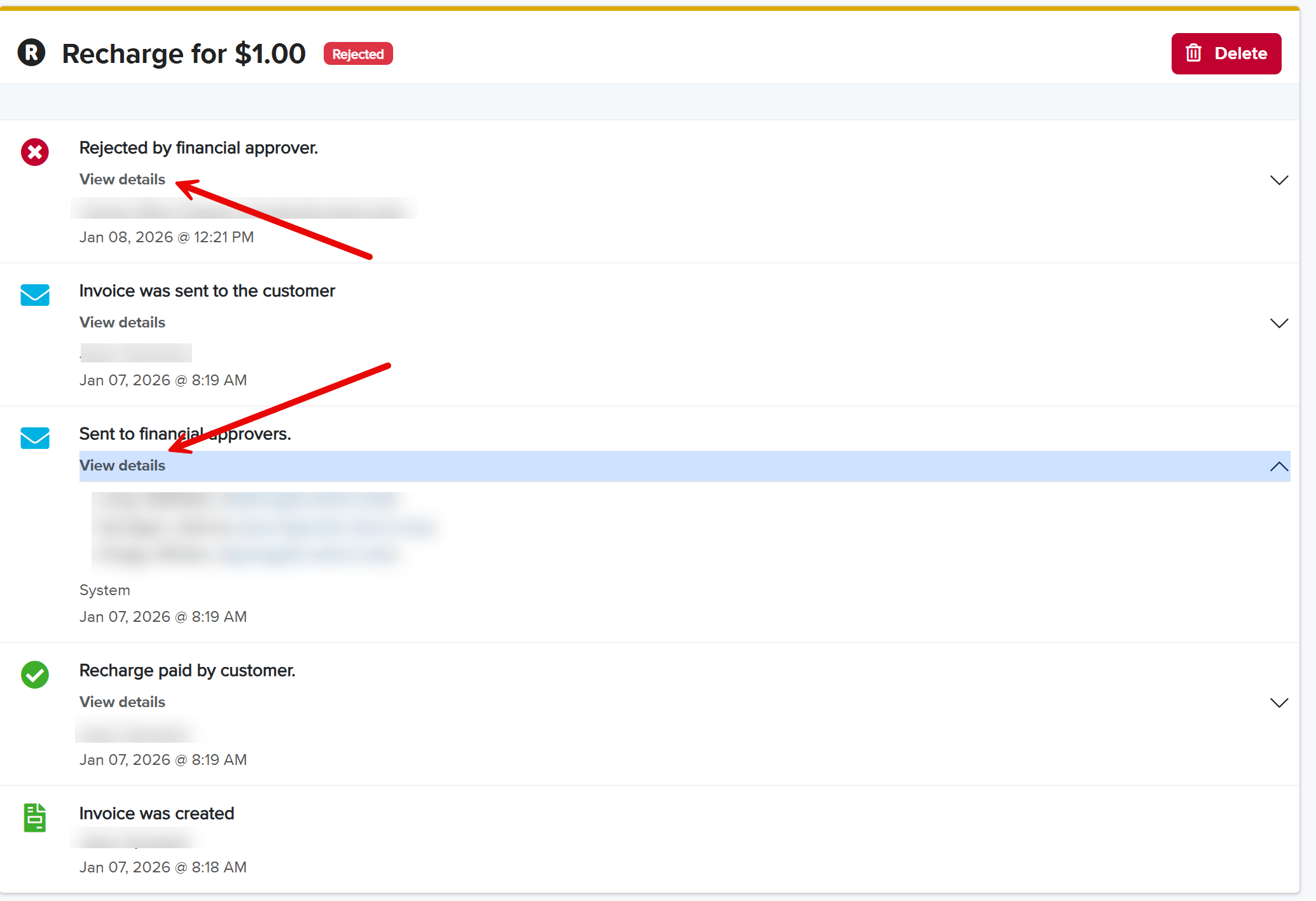
- Financial Approvers Approve or Reject invoice. Reject requires a reason and can be done up until all chart strings have been approved.
- Rejected invoices may be edited and re-sent.
Functionality
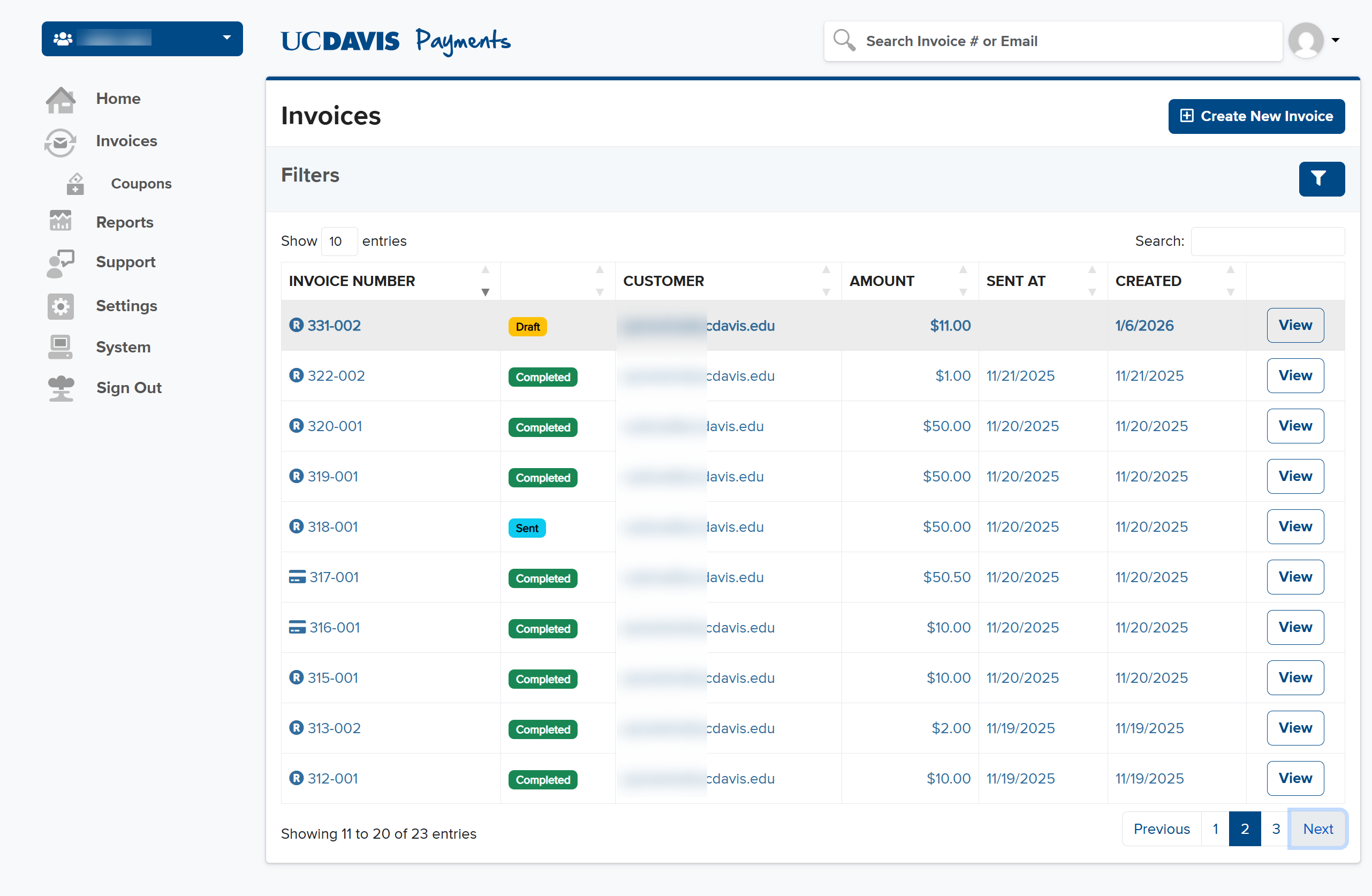
- You may filter the existing list of invoices to either recharge or credit cards by typing recharge or credit into the search field.
- You may filter the invoices by any of the status listed in the filter. There are some new ones for recharges. Filters are sticky.
- You may enter a % for the chart string and it will try to update the amount. However, the amount is the saved field — not the percentage.
- You can't tab to the % field to avoid accidentally changing the $ amount when tabbing off it. You must use the mouse to enter the % field.
- Recharge and Credit Card invoices may be duplicated. This will be logged in the history of both the original invoice and the new one.
Emails
Customer notification:
Financial Approver notification:
New Status Codes
- Pending Approval : Awaiting Financial Approval step
- Approved : Approved by all financial approvers, awaiting job to move the money
- Rejected : Rejected by either a financial approver, an automated check if a chart string has become invalid, or not approved in our application that actually moves the money around.
Screen Shots
Invoice List
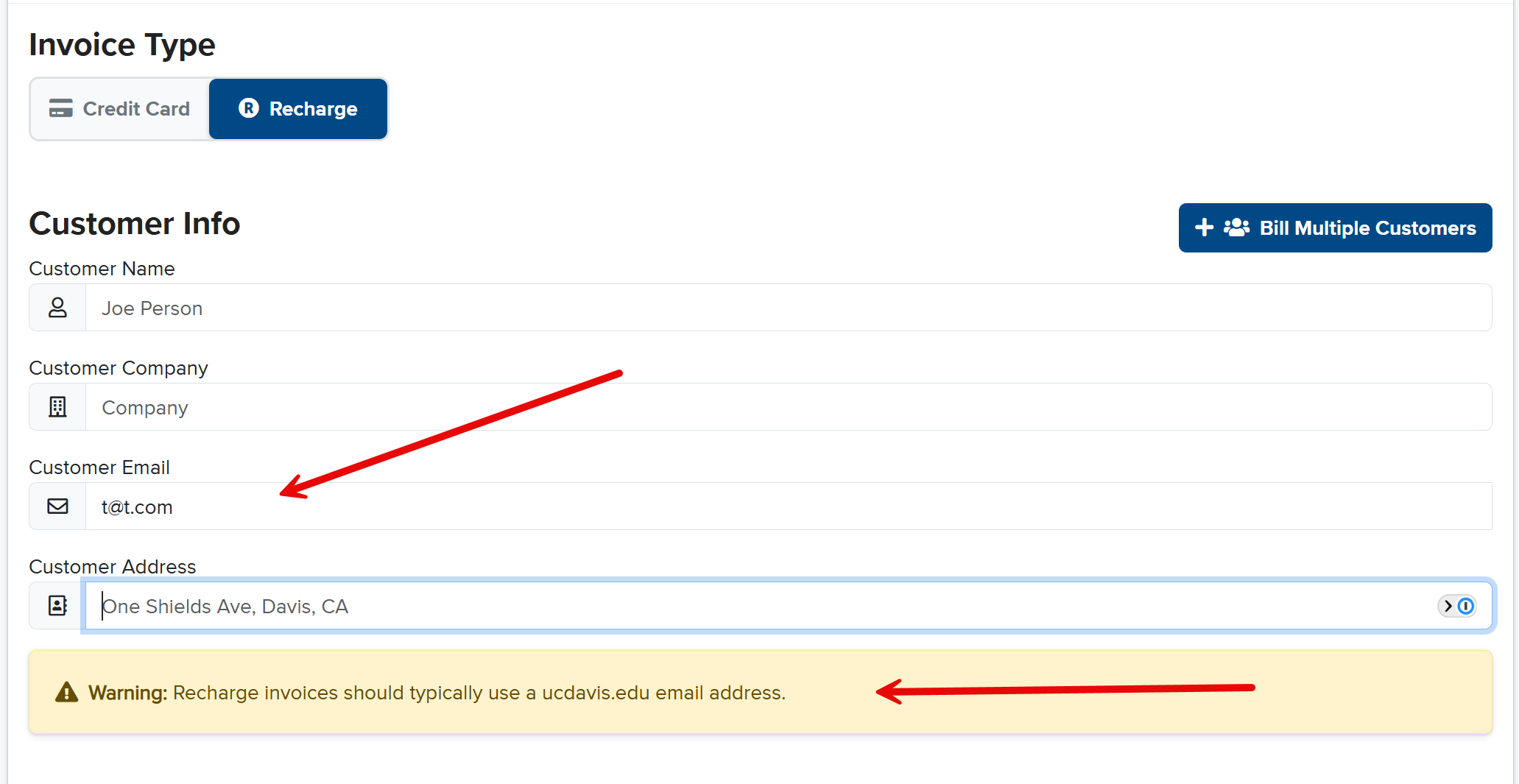
Email warning
- Recharges should email ucdavis.edu emails as you need to login to approve.
View Details
- You can click on View Details to expand the section for more info.