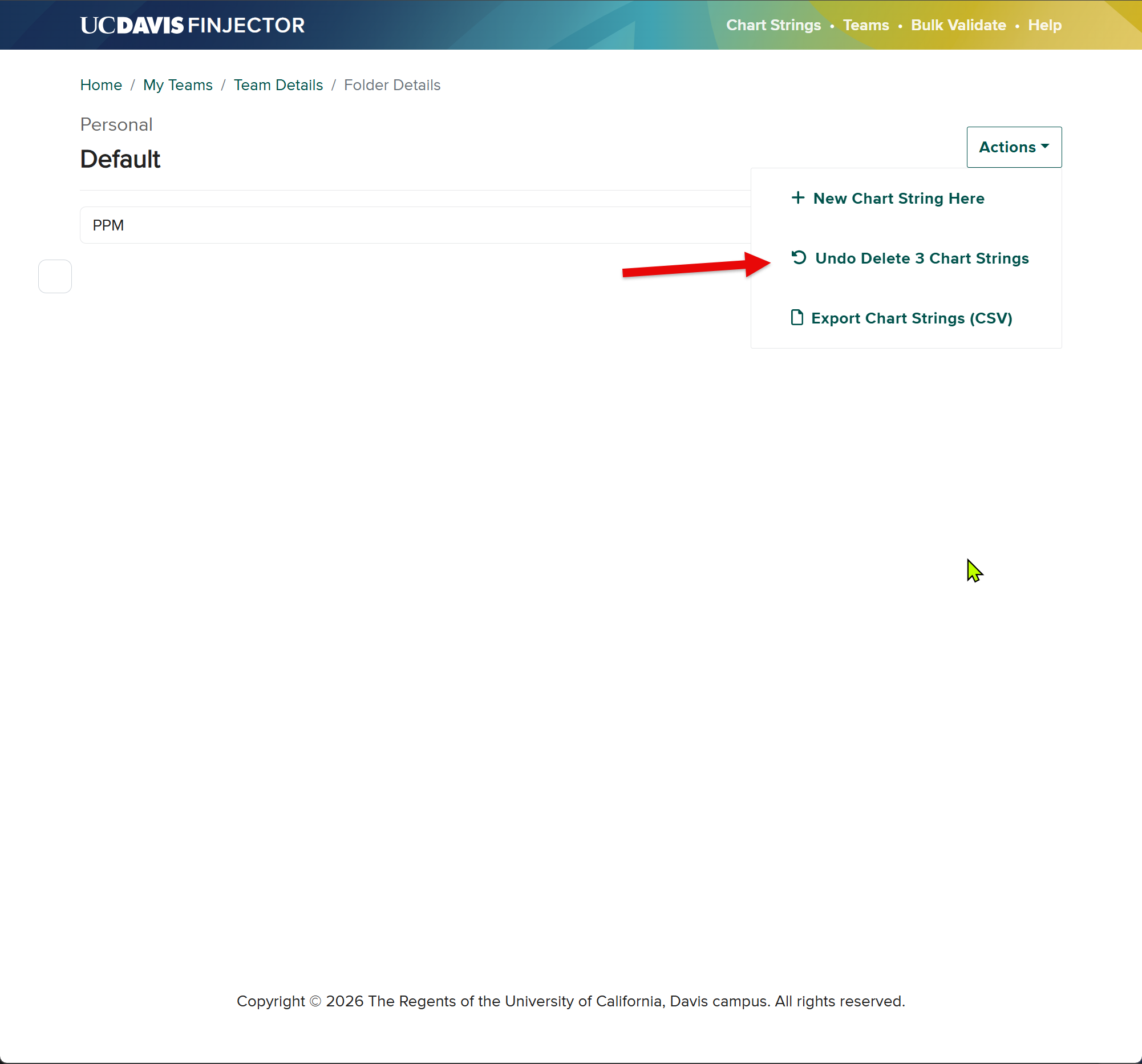
Multi Select.
Folder Tools.
Jason Sylvestre
Jul 7, 2026
Multi Select
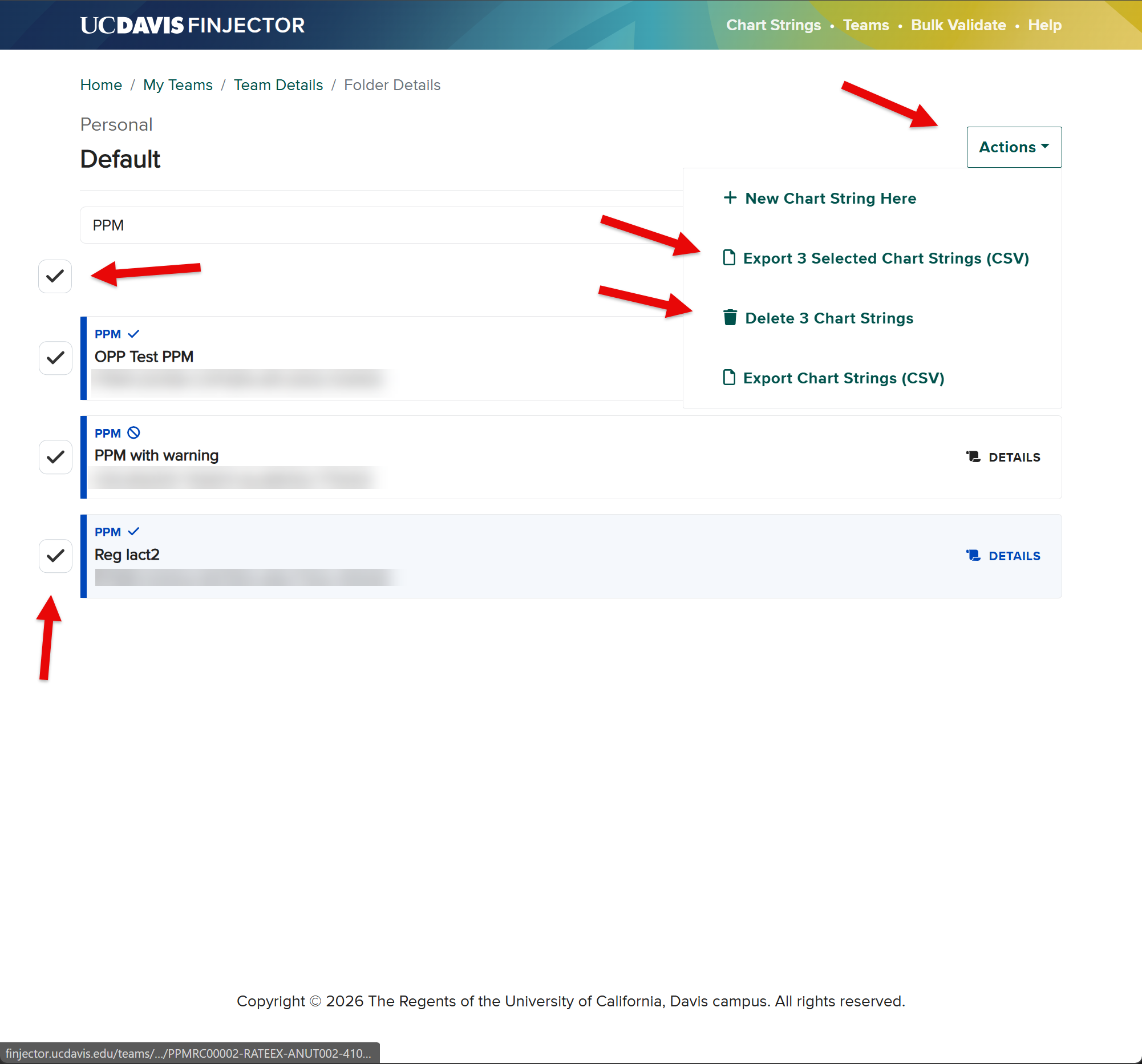
To make it easier to remove old chart strings, if you have permissions to the folder you will now see a multi select checkbox to the left of the chart string when you hover over it.
There is also a select/deselect all visible at the top of the column. This will act on the filtered list.
In the example below, I filter the list to PPM then selected them all with the top checkbox. Under Actions, you can see the 2 new actions for the selected chart strings. Export them, and delete them. If there are selected chart strings which are not currently visible, the count here will reflect that.
If you delete chart strings with this multi select, you will have until you leave the page, or do something else to undo the delete.